Boom integration
Overview
Our Boom integration automates application distribution and tracks application completion status within the leasing workflow.
Each property automatically syncs with its corresponding Boom application link. When a prospect selects a property, they receive the correct application link for that specific listing.
When a prospect completes an application through Boom, the completion status automatically syncs back to Showdigs. The prospect's inquiry status updates to reflect application completion, advancing them to the next stage in the leasing funnel without manual intervention.
How do I set it up?
1) Add a webhook in Boom
Go to Boom > Settings > API
Click "+ New webhook"
Complete the form...
Event: Application Completed (there are a lot of similar options, so make sure you select the right one)
Endpoint URL: https://api.showdigs.com/api/webhooks/boom
Secret:
boom4sd
Save
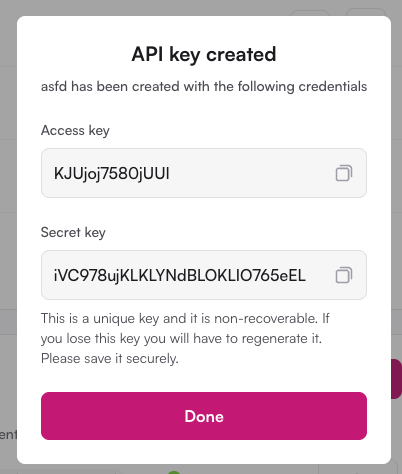
2) Create an API key in Boom
Go to Boom > Settings > API
Click "+ New API"
Name your key (something like "Showdigs" would work well)
Keep this page open while you move to the next steps (or save the Access Key and Secret Key in your password manager)
3) Enter the API keys in Showdigs
Go to Showdigs > Settings > Integrations
Click "Connect Boom account"
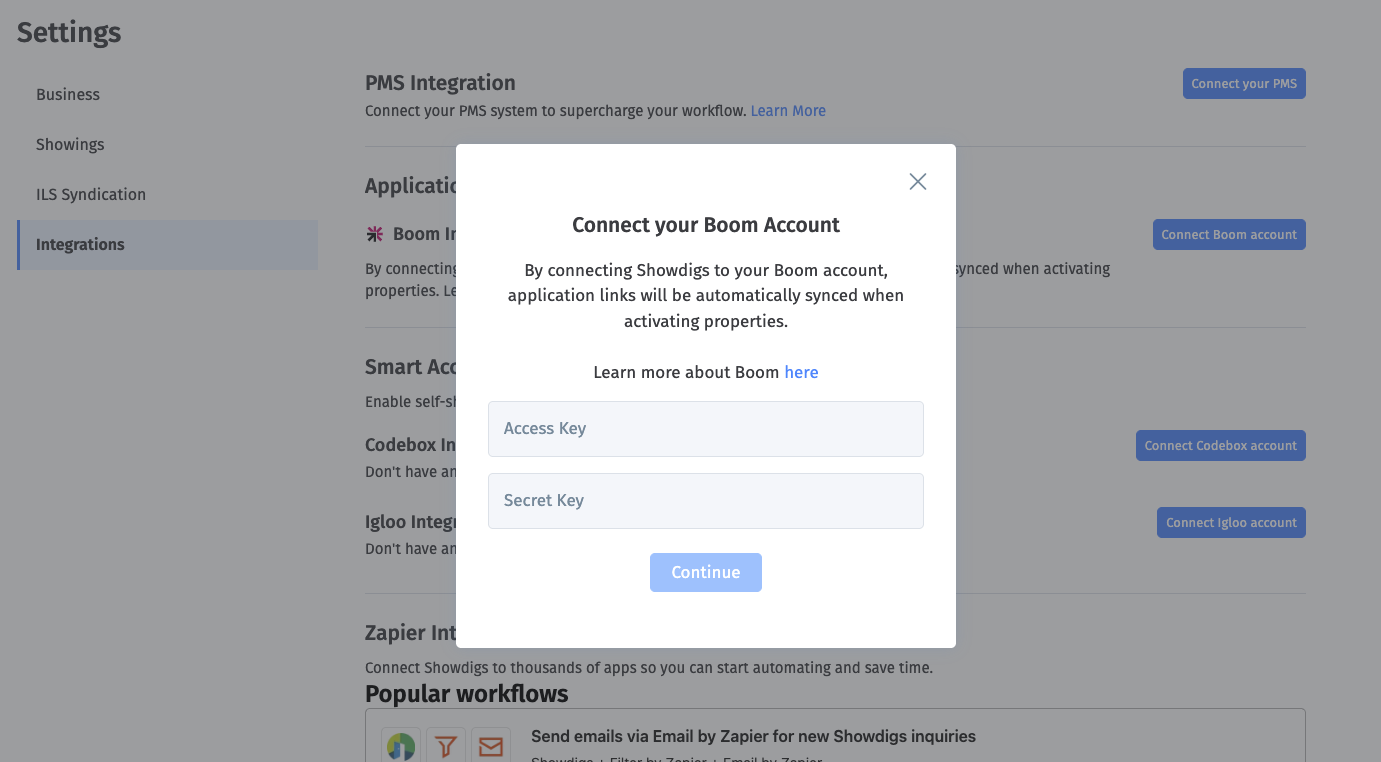
Enter your secret and access keys here (copy/paste from Boom)
Save
4) Start showings in Showdigs
At this point, you're good to go. You'll see your Boom application load automatically during the "Start showing" process. If the system is unsure exactly which unit to choose, it will give you a list to select from.

Important: Enabling the integration will not change application links for properties that are already on the market. However, you can manually edit those links by going to the property's page (Property> Details > Prospects), where you'll be able to replace your current application link with one from Boom.